
IR Infrared Obstacle Avoidance Sensor Module
Original price was: 37.91 EGP.30.00 EGPCurrent price is: 30.00 EGP.
The IR Infrared Obstacle Avoidance Sensor is a compact reflective proximity module for detecting nearby objects without physical contact. It operates from 3.3V to 5V, provides an active-low digital output, and features an adjustable detection range of approximately 2–30cm. Ideal for Arduino robots, smart cars, object counters, and automatic control projects.
IR Infrared Obstacle Avoidance Sensor
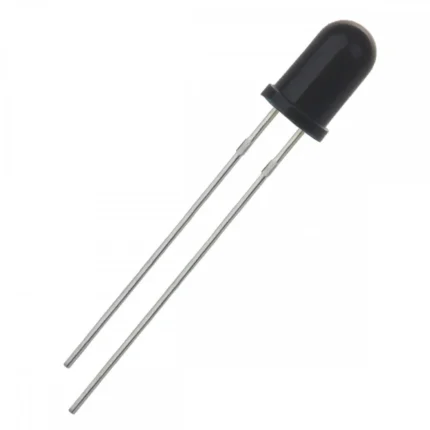
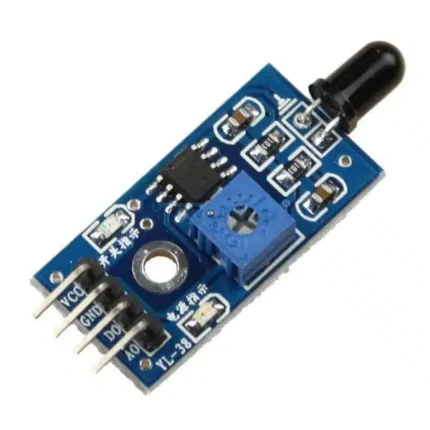
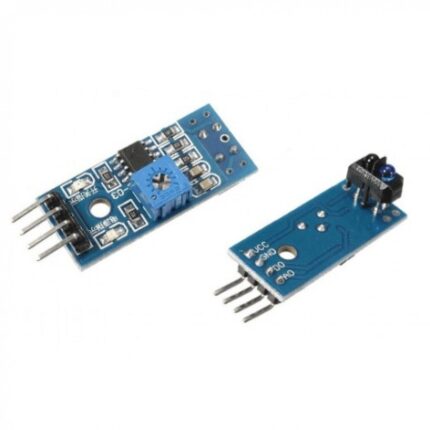
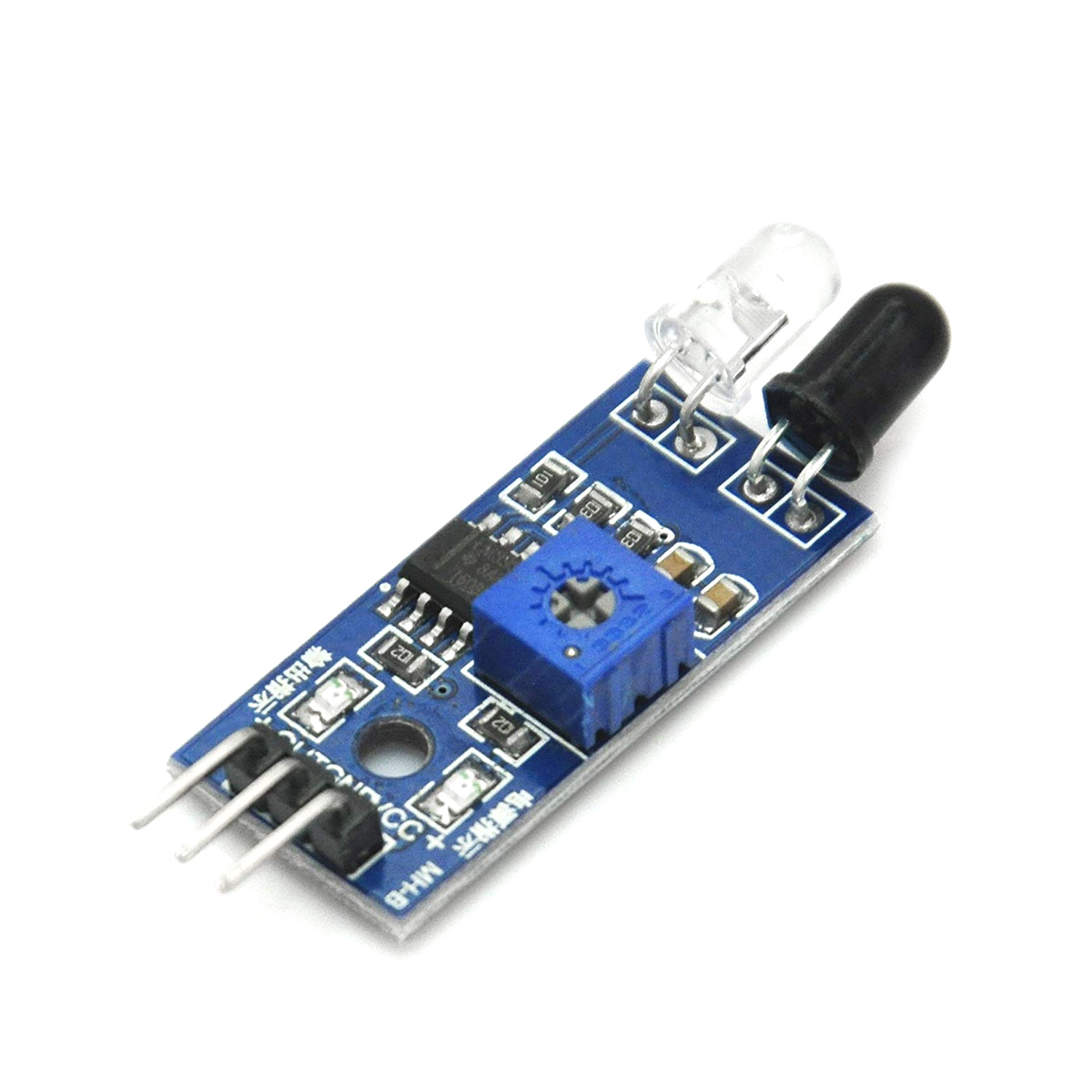
The IR Infrared Obstacle Avoidance Sensor is a compact electronic module designed to detect nearby objects using reflected infrared light. It combines an infrared transmitting LED, an infrared receiver, an LM393 comparator circuit, and an adjustable sensitivity control on a small circuit board.
When an object enters the detection area, infrared light emitted by the transmitter reflects from the object and returns to the receiver. The onboard comparator processes this reflected signal and changes the state of the digital output. Therefore, the module can be connected directly to an Arduino, ESP32, ESP8266, STM32, Raspberry Pi GPIO, or another digital control circuit.
Adjustable Obstacle Detection
The IR Infrared Obstacle Avoidance Sensor provides an adjustable detection range of approximately 2cm to 30cm. The onboard potentiometer allows the user to change the switching threshold according to the required application.
However, this range is approximate rather than guaranteed. White and reflective objects can usually be detected from a greater distance than dark, transparent, or highly absorbent surfaces. Furthermore, strong sunlight and other infrared light sources can affect the reading.
Active-Low Digital Output
The module provides a digital output rather than an analog distance measurement. When no obstacle is detected, the OUT pin is normally HIGH. When an object is detected within the adjusted range, the output changes to LOW.
As a result, the module tells the controller whether an obstacle is present, but it does not provide the exact distance to that obstacle. For accurate numerical distance measurement, an ultrasonic or time-of-flight distance sensor should be used instead.
Key Features
- Reflective infrared obstacle detection
- Operating voltage from 3.3V to 5V DC
- Adjustable detection range of approximately 2–30cm
- Digital active-low output
- LM393 comparator circuit
- Onboard sensitivity adjustment potentiometer
- Power and detection LED indicators
- Approximately 35-degree detection angle
- Three-pin interface for easy connection
- Mounting hole for mechanical installation
- Compatible with common development boards
- Compact and lightweight design
Technical Specifications
| Specification | Value |
|---|---|
| Sensor Type | Reflective infrared obstacle sensor |
| Common Model | FC-51 compatible module |
| Operating Voltage | 3.3–5V DC |
| Detection Range | Approximately 2–30cm, adjustable |
| Detection Angle | Approximately 35° |
| Output Type | Digital |
| Active Output State | LOW when an obstacle is detected |
| Comparator | LM393 |
| Adjustment | Onboard potentiometer |
| Indicators | Power LED and detection LED |
| Interface | VCC, GND and OUT |
| Typical Board Size | Approximately 32 × 14mm |
| Package Quantity | 1 Sensor Module |
Pinout and Connection
| Module Pin | Function | Arduino Connection |
|---|---|---|
| VCC | Power input | 3.3V or 5V |
| GND | Ground | GND |
| OUT | Digital detection output | Any digital input pin |
Connect VCC to the correct supply voltage and GND to the controller ground. Then, connect OUT to a digital input pin. Because the output is active-low, the controller normally reads LOW when an obstacle is detected and HIGH when the path is clear.
Common Applications
The module is suitable for many short-range detection projects, including:
- Obstacle-avoiding robots
- Smart robotic cars
- Collision-detection systems
- Object counters
- Automatic doors and dispensers
- Non-contact switches
- Production-line detection
- Parking and positioning experiments
- Educational Arduino projects
- Security and proximity alarms
- DIY automation systems
Calibration Instructions
After connecting the sensor, place the target object at the required detection distance. Slowly rotate the onboard potentiometer until the detection LED changes state. Move the object closer and farther several times to verify reliable switching.
Calibration should be performed using an object similar in color and material to the object used in the final application. Additionally, test the module under the actual lighting conditions because sunlight and reflective surfaces can affect infrared performance.
Important Limitations
This sensor does not measure exact distance. It only provides an on/off detection signal according to the adjusted threshold.
Detection performance varies according to the object’s color, shape, angle, material, and reflectivity. Dark or transparent objects may require a shorter detection distance. Therefore, the sensor should be calibrated after final installation.
The module is also different from a PIR motion sensor. A PIR sensor detects changes in infrared radiation from warm objects such as people, while this module actively emits infrared light and detects its reflection from nearby surfaces.