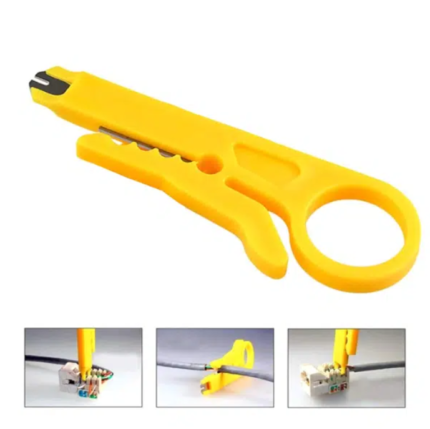

TNI-U Network Cable Crimping Tool for RJ45 & RJ11
Original price was: 244.87 EGP.150.00 EGPCurrent price is: 150.00 EGP.
The TNI-U Network Cable Crimping Tool provides accurate crimping for RJ45 Ethernet and RJ11 telephone connectors. Its durable construction and comfortable handles suit installation, maintenance, and cable-making tasks.
The TNI-U Network Cable Crimping Tool helps technicians create and repair Ethernet and telephone cables. It applies even pressure to the connector pins, which helps produce secure and stable cable terminations.
Moreover, the hand-operated design requires no electricity or batteries. Therefore, technicians can use it in workshops, offices, homes, and field installations.
Key Features
- Supports RJ45 Ethernet connectors
- Supports RJ11 telephone connectors
- Produces accurate and consistent crimps
- Features a strong metal construction
- Includes comfortable non-slip handles
- Offers simple hand-operated control
- Suitable for repeated installation work
- Compact enough for a technician’s tool bag
- Ideal for professional and DIY applications
Technical Specifications
- Brand: TNI-U
- Product Type: Network Cable Crimping Tool
- Operation: Manual
- Supported Connectors: RJ45 and RJ11
- RJ45 Connector Type: 8P8C
- Common RJ11 Connector Type: 6P4C
- Body Material: Metal
- Handle Type: Ergonomic Grip
- Power Required: No
- Recommended Use: Networking and Telephone Cables
How to Use
First, cut the cable end cleanly. Then, remove the required length of the outer cable jacket with a suitable stripping tool.
Next, arrange the conductors according to the required wiring standard. Use either T568A or T568B for Ethernet cables, but keep the same standard at both ends for a straight-through cable.
Insert the conductors fully into the modular plug. After that, place the connector inside the correct crimping slot. Squeeze the handles firmly until the tool completes the crimp.
Finally, test the finished cable with a network cable tester before installation.
Applications
The tool suits tasks such as:
- Making Ethernet patch cables
- Installing RJ45 network connectors
- Repairing damaged LAN cables
- Terminating telephone cables
- Installing RJ11 connectors
- Home and office network maintenance
- Computer-networking laboratories
- CCTV and data-cabling projects
- DIY electronics and communication projects
Usage Tips
- Choose the correct connector slot before crimping.
- Confirm the wire order before inserting the plug.
- Push every conductor to the end of the connector.
- Make sure the cable jacket enters the strain-relief area.
- Apply steady pressure throughout the crimp.
- Test each finished cable for open, shorted, or crossed wires.
- Keep fingers away from the crimping mechanism.
- Store the tool in a dry location after use.
Package Includes
- 1× TNI-U Network Cable Crimping Tool