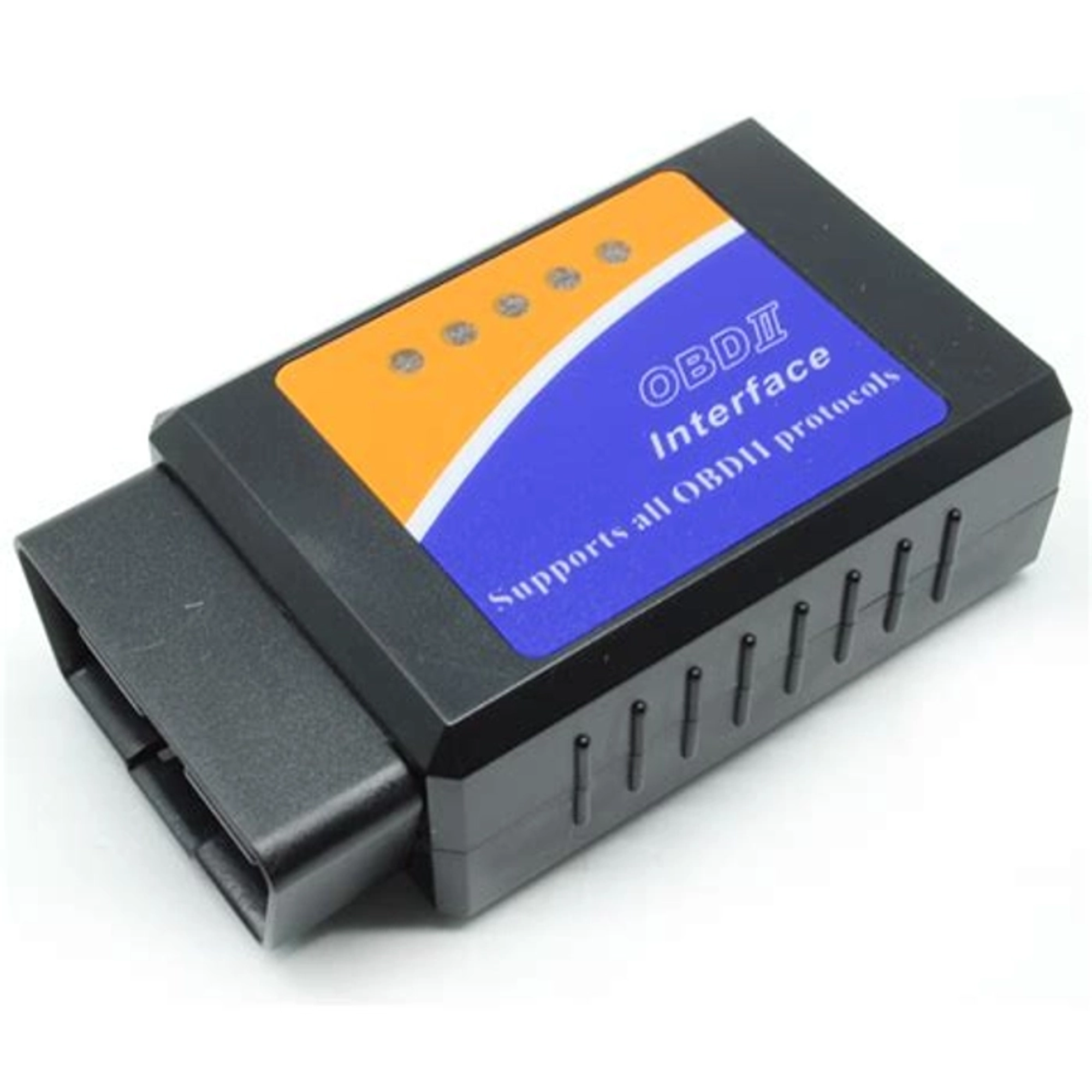
Black V2.1 OBD2 ELM327
Original price was: 350.00 EGP.295.00 EGPCurrent price is: 295.00 EGP.
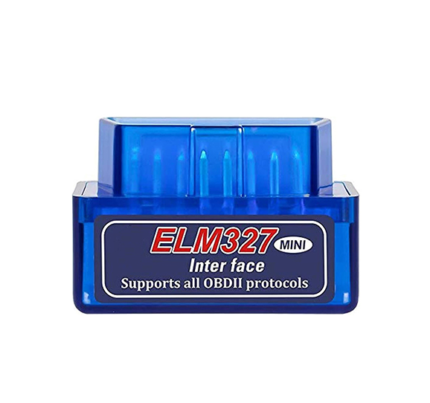
The ELM327 V2.1 Bluetooth OBD2 Scanner connects compatible OBD-II vehicles to Android devices and Windows computers. Use a compatible diagnostic application to read and clear engine fault codes, monitor supported live data, and check basic vehicle information wirelessly.
ELM327 V2.1 Bluetooth OBD2 Scanner
The ELM327 V2.1 Bluetooth OBD2 Scanner is a compact wireless adapter for basic vehicle diagnostics. It connects to the standard OBD-II port and sends supported vehicle data to a compatible Android device or Windows computer through Bluetooth.
After connecting the scanner, you can use a compatible diagnostic application to read engine fault codes. You can also clear supported Check Engine codes and monitor available live sensor data. Therefore, it provides a practical and affordable solution for vehicle owners, technicians, and automotive electronics projects.
ELM327 V2.1 Bluetooth OBD2 Scanner Features
- Bluetooth wireless communication
- Connects directly to a standard 16-pin OBD-II port
- Reads supported engine diagnostic trouble codes
- Clears supported Check Engine fault codes
- Displays available real-time engine data
- Automatically detects supported OBD-II protocols
- Compact and portable black housing
- Status LEDs for power and communication activity
- Suitable for Android devices and Bluetooth-enabled Windows computers
- Works with many ELM327-compatible diagnostic applications
Supported Functions
Available functions depend on the vehicle, ECU, and selected application. Common functions may include engine RPM, coolant temperature, vehicle speed, calculated engine load, intake temperature, throttle position, fuel-system information, and supported diagnostic trouble codes.
How to Use the OBD2 Scanner
First, turn off the vehicle and locate its 16-pin OBD-II connector. Next, plug the adapter firmly into the diagnostic port. Turn on the ignition, then pair the scanner with your Android device or Windows computer. Finally, open a compatible OBD2 application and select the appropriate Bluetooth connection.
Important Compatibility Information
The ELM327 V2.1 Bluetooth OBD2 Scanner is intended mainly for standard engine and emissions diagnostics. It may not access manufacturer-specific systems such as ABS, airbags, immobilizers, body-control modules, or transmission systems.
Vehicle compatibility and available data vary according to the vehicle model, production year, ECU, protocol, and diagnostic application. In addition, most Bluetooth Classic versions work with Android and Windows but may not connect directly to iPhone or iPad devices. Always confirm vehicle and application compatibility before purchasing.