

Raspberry Pi Camera Ribbon FFC Cable 100cm – 15Pin 1.0mm Pitch
Original price was: 80.00 EGP.60.00 EGPCurrent price is: 60.00 EGP.
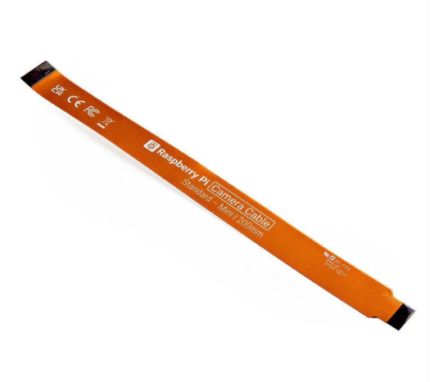
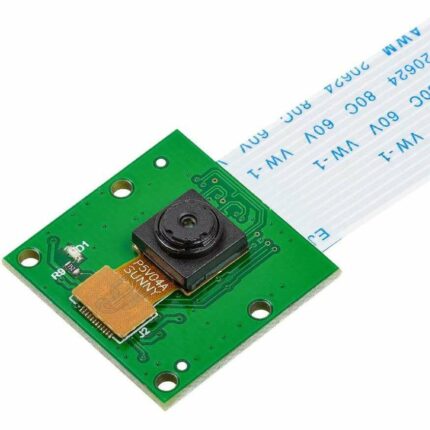
The Raspberry Pi Camera Cable 100cm is a flexible 15-pin FFC ribbon cable designed to extend the connection between a compatible Raspberry Pi board and its CSI camera module. It features a standard 1.0mm contact pitch and is suitable for Raspberry Pi 3B, 3B+, 4B, and other models equipped with the full-size 15-pin camera connector.
Raspberry Pi Camera Cable 100cm
The Raspberry Pi Camera Cable 100cm provides an extended connection between a compatible Raspberry Pi board and a CSI camera module. Its one-meter length allows the camera to be installed farther away from the main board, making it useful for robotics, monitoring systems, and custom enclosures.
The cable uses a flexible flat cable design with 15 conductive contacts and a standard 1.0mm pitch. Therefore, it fits the full-size 15-pin CSI camera connectors found on Raspberry Pi 3B, 3B+, 4B, and several earlier Raspberry Pi boards.
Its thin and flexible construction makes it easy to route through compact structures. In addition, the cable can pass through narrow openings where conventional round cables may not fit.
Main Features
- 100cm cable length
- Standard 15-pin FFC connection
- 1.0mm contact pitch
- Flexible and lightweight ribbon design
- Designed for Raspberry Pi CSI camera connections
- Suitable for camera-extension applications
- Easy to route through robots and enclosures
- No soldering required
- Reusable when handled correctly
Compatible Raspberry Pi Boards
The Raspberry Pi Camera Cable 100cm is suitable for boards with a full-size 15-pin CSI camera connector, including:
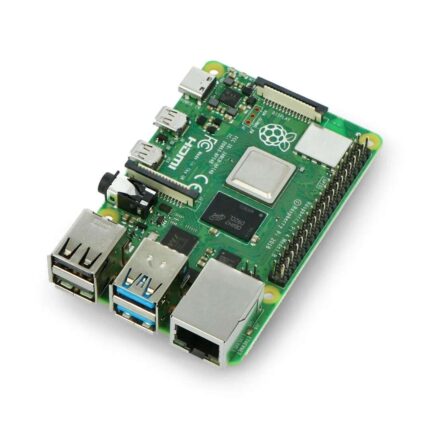
- Raspberry Pi 4 Model B
- Raspberry Pi 3 Model B and 3B+
- Raspberry Pi 2 Model B
- Raspberry Pi Model A and B+
- Compatible development boards with a matching 15-pin connector
Important Compatibility Information
This cable is not directly compatible with the smaller 22-pin camera connectors used on Raspberry Pi 5, Raspberry Pi Zero, Zero 2 W, and some compact development boards.
Those boards require a different 15-pin-to-22-pin or 22-pin camera cable. Therefore, check the connector width, pin count, contact pitch, and exposed-contact orientation before ordering.
Installation Instructions
First, turn off the Raspberry Pi and disconnect its power supply. Next, gently lift the locking tab on the CSI camera connector. Insert the cable straight into the connector while checking the contact orientation.
Push the cable fully into position, then close the locking tab. Repeat the same steps on the camera-module side. Finally, confirm that the cable is secure before reconnecting power.
Usage Recommendations
Avoid folding the cable sharply because this may damage its internal conductors. Furthermore, do not pull it using the blue reinforcement tabs.
Because this cable is one meter long, route it away from motors, high-current power wires, switching regulators, and other sources of electrical interference whenever possible.