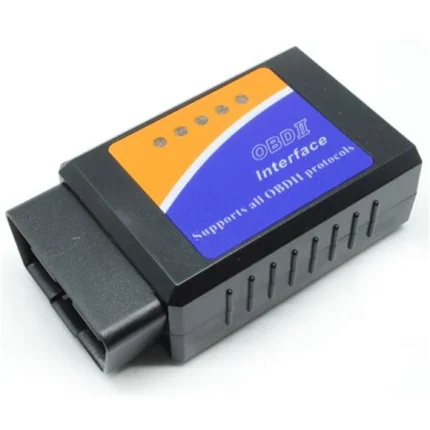
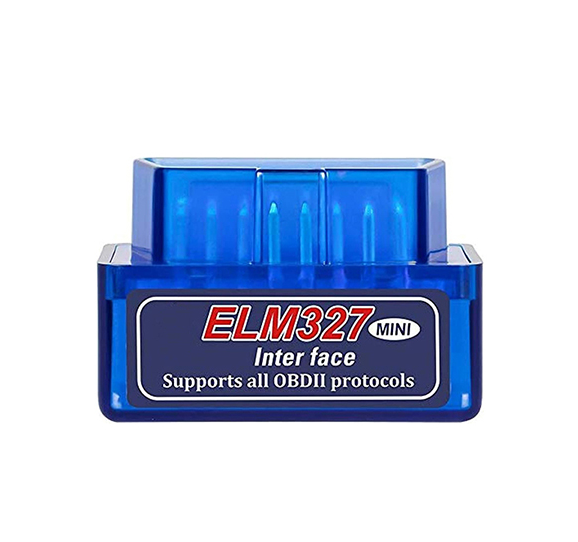
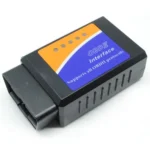
Blue ELM327 V1.5 Bluetooth OBD2 Scanner
Original price was: 300.00 EGP.275.00 EGPCurrent price is: 275.00 EGP.
The Blue ELM327 V1.5 Bluetooth OBD2 Scanner connects compatible vehicles to Android devices for basic engine diagnostics. It can read and clear supported fault codes, display live sensor data, and monitor vehicle parameters using a compatible OBD2 application.
Blue ELM327 V1.5 Bluetooth OBD2 Scanner
The Blue ELM327 V1.5 Bluetooth OBD2 Scanner is a compact wireless diagnostic adapter for vehicles equipped with a compatible OBD-II port. It connects the vehicle’s diagnostic system to an Android phone, tablet, or compatible Windows device through Classic Bluetooth.
This adapter provides an affordable method for checking basic engine information without using a large diagnostic tool. Therefore, it is useful for car owners, technicians, students, and automotive electronics projects.
ELM327 Bluetooth Scanner Features
- Compact OBD2 diagnostic adapter
- Classic Bluetooth wireless connection
- Designed mainly for Android devices
- Compatible with selected Windows computers
- Reads supported diagnostic trouble codes
- Clears supported engine fault codes
- Displays live vehicle sensor readings
- Monitors engine speed and vehicle speed
- Can display coolant temperature and calculated engine load
- Supports multiple standard OBD-II protocols
- Powered directly through the vehicle’s OBD2 port
- Requires no separate battery or charging cable
- Blue plastic housing with compact construction
Available readings depend on the vehicle, its ECU, and the diagnostic application being used.
Supported Diagnostic Functions
The Blue ELM327 V1.5 Bluetooth OBD2 Scanner can read generic engine diagnostic trouble codes on supported vehicles. Moreover, it can clear certain stored engine codes after the original problem has been repaired.
A compatible application may also display live parameters such as engine RPM, vehicle speed, coolant temperature, intake-air temperature, throttle position, fuel-system status, and calculated load.
However, not every vehicle provides all these readings. Access to ABS, airbag, transmission, immobilizer, service-reset, and manufacturer-specific systems is also not guaranteed.
How to Use the OBD2 Adapter
First, locate the OBD-II diagnostic port inside the vehicle. Next, connect the adapter while the vehicle is safely parked. Turn the ignition on and activate Bluetooth on your Android device.
Pair the adapter with the phone or tablet. Then open a compatible OBD2 application and select the Bluetooth connection. Finally, choose the ELM327 adapter and allow the application to connect to the vehicle ECU.
Applications such as Torque and Car Scanner may be used, depending on the operating system and vehicle.
Compatibility Information
This model normally uses Classic Bluetooth. Therefore, it is intended mainly for Android and compatible Windows devices. Standard Classic Bluetooth versions are generally not compatible with iPhones or iPads. For iOS devices, use a confirmed Bluetooth Low Energy or Wi-Fi OBD2 adapter.
The vehicle must support standard OBD-II diagnostics. Having the same 16-pin connector alone does not guarantee compatibility.
Important Notes
This product is intended for basic diagnostics and live-data monitoring. It is not a replacement for a professional dealership diagnostic system.
Do not clear fault codes before identifying and repairing the problem. Also, avoid leaving the adapter permanently connected when the vehicle is parked for long periods.